

Starting a business does not have to be expensive. Many entrepreneurs believe they need costly software, professional designers, or advanced business tools before they can begin. In reality, there are many free resources available that can help you launch and manage a business effectively. These tools can save money while providing the support needed to grow.
Today’s technology has made entrepreneurship more accessible than ever. With a computer, internet connection, and the right free tools, you can create a business plan, build a website, communicate with customers, and market your services. Many successful businesses started by using free resources before investing in paid solutions.
Using free tools allows you to focus your budget on activities that directly contribute to growth. Instead of spending money on unnecessary software and services, you can invest time into finding customers and improving your offerings. This approach helps reduce financial risk while building a solid business foundation.
Free resources can support nearly every part of your business, including:
- Business planning
- Financial tracking
- Website creation
- Customer communication
- Graphic design and branding
- Marketing and content creation
The key is knowing which tools to use and how to use them effectively.
The goal is not to avoid spending money forever. The goal is to start smart and keep costs low until your business begins generating consistent income. As your business grows, you can decide which paid tools are worth the investment.
In the following sections, you will learn about some of the best free resources available for entrepreneurs. These tools can help you operate professionally, stay organized, and build a business without putting pressure on your finances.
A. Free Business Planning Tools
Starting a business does not mean you need expensive software or professional consultants. Today, many free tools can help you plan, organize, and manage your business. These tools allow entrepreneurs to operate professionally without spending money upfront. This is especially helpful when starting with a limited budget.
Free business planning tools can help you create documents, track finances, organize ideas, and design marketing materials. Learning how to use these resources can save money while helping your business stay organized.
Why Free Tools Matter
Many new entrepreneurs spend money on software before making their first sale. In most cases, this is unnecessary. Free tools often provide everything needed to launch and manage a small business.
Benefits of using free tools include:
- Lower startup costs
- Reduced financial risk
- Easy access from anywhere
- Better organization
- More money available for growth
The goal is to keep expenses low while building a strong business foundation.
Google Docs
Google Docs is a free online word-processing tool that allows you to create and store documents. It works similarly to traditional word processors but can be accessed from any device with an internet connection. Documents are automatically saved, reducing the risk of losing important information.
Google Docs is useful for creating many business documents. It helps keep information organized and easy to update.
You can use Google Docs for:
- Business plans
- Service agreements
- Meeting notes
- Marketing plans
- Customer proposals
- Standard operating procedures
Because documents are stored online, they can be accessed whenever needed.
How Google Docs Helps Entrepreneurs
Google Docs makes collaboration simple. If you work with partners, contractors, or team members, documents can be shared and edited in real time.
| Google Docs Feature | Benefit |
|---|---|
| Cloud storage | Access documents anywhere |
| Automatic saving | Prevents lost work |
| Easy sharing | Improves collaboration |
| Free access | Reduces costs |
For new entrepreneurs, Google Docs can replace several paid software options.
Google Sheets
Google Sheets is a free spreadsheet tool that helps organize and analyze information. It is useful for tracking numbers, creating budgets, and monitoring business performance.
Many business owners use spreadsheets daily because they provide a clear view of income, expenses, and goals. Keeping accurate records becomes easier when information is organized in one place.
Google Sheets can be used for:
- Budget tracking
- Expense monitoring
- Sales records
- Customer lists
- Profit calculations
- Business planning
Simple spreadsheets can provide valuable insights into how your business is performing.
Practical Uses for Google Sheets
A well-organized spreadsheet can help you make smarter financial decisions. It allows you to see where money is coming from and where it is being spent.
Example business tracking table:
| Month | Income | Expenses | Profit |
| January | $1,000 | $300 | $700 |
| February | $1,200 | $350 | $850 |
| March | $1,500 | $400 | $1,100 |
Tracking numbers regularly can help you identify opportunities for growth.
Canva
Canva is a free design platform that allows anyone to create professional-looking graphics. You do not need graphic design experience to use it. The platform provides templates that make designing simple and fast.
Visual content plays an important role in marketing. Canva helps businesses create attractive materials without hiring a professional designer.
Popular Canva projects include:
- Social media graphics
- Business cards
- Flyers
- Presentations
- Posters
- Marketing materials
Many entrepreneurs use Canva as their primary design tool during the early stages of business.
How Canva Supports Business Growth
Good design can help a business look more professional and trustworthy. Canva allows entrepreneurs to create consistent branding across different platforms.
Benefits of Canva include:
- Easy-to-use templates
- Free design resources
- Professional-looking graphics
- Time-saving features
- Brand consistency
Strong visuals can help attract attention and improve marketing efforts.
Comparing Free Business Planning Tools
| Tool | Primary Use | Cost |
| Google Docs | Documents and planning | Free |
| Google Sheets | Tracking and budgeting | Free |
| Canva | Design and marketing | Free |
Each tool serves a different purpose, but together they provide a solid foundation for running a business.
Building a Simple Business System
Combining these free tools can help you stay organized from the beginning. You do not need complex software to manage a small business effectively.
For example:
- Use Google Docs for planning.
- Use Google Sheets for finances.
- Use Canva for marketing materials.
This simple system can support many types of businesses without adding unnecessary expenses.
Key Takeaways
Free business planning tools can help entrepreneurs launch and manage a business while keeping costs low. They provide practical solutions for organization, budgeting, and marketing.
Remember these important points:
- Google Docs helps create and organize documents.
- Google Sheets tracks financial and business data.
- Canva creates professional marketing materials.
- Free tools reduce startup costs.
- Organization leads to better business decisions.
When starting a business with little money, using free resources wisely can help you focus your budget on growth instead of unnecessary expenses.
B. Free Website Options
A website helps customers learn about your business, products, and services. It gives your business an online presence and makes it easier for people to find you. Many new entrepreneurs assume they need a large budget to build a website. Fortunately, several free platforms make it possible to create a professional-looking website without spending money.
Free website builders are ideal when starting a business with limited resources. They allow you to launch quickly and focus on attracting customers instead of worrying about technical details. As your business grows, you can always upgrade later.
Why Your Business Needs a Website
Even a simple website can improve your credibility. Many customers search online before making a purchase or contacting a business. A website helps them learn who you are and what you offer.
A business website can help you:
- Build trust with customers
- Share information about your services
- Collect customer inquiries
- Display testimonials
- Promote products and offers
Think of your website as your digital storefront that works around the clock.
WordPress.com
WordPress.com is one of the most popular website-building platforms in the world. It allows users to create blogs, business websites, and online portfolios without needing coding skills. The platform offers free templates that make website creation simple.
Many entrepreneurs choose WordPress.com because it is flexible and easy to use. It can support both personal and business websites.
WordPress.com is useful for:
- Business websites
- Blogs
- Portfolios
- News websites
- Educational websites
The platform is especially popular among content creators and bloggers.
Benefits of WordPress.com
WordPress.com provides several features that help entrepreneurs get started online.
Key benefits include:
- Free website hosting
- Easy-to-use templates
- Mobile-friendly designs
- Built-in blogging tools
- Beginner-friendly setup
These features make it a practical choice for first-time website owners.
Blogger
Blogger is a free blogging platform owned by Google. It allows users to publish content online quickly and easily. The platform is designed for simplicity, making it suitable for beginners.
Entrepreneurs who plan to create content regularly often choose Blogger because it requires very little technical knowledge. Setup is straightforward and maintenance is minimal.
Blogger works well for:
- Personal blogs
- Business blogs
- Educational content
- Niche websites
- Affiliate marketing websites
It can be a good starting point for entrepreneurs interested in content marketing.
Advantages of Blogger
Blogger offers a simple way to establish an online presence.
Some advantages include:
- Completely free to use
- Easy setup process
- Google account integration
- No hosting management required
- Beginner-friendly interface
For those focused primarily on publishing content, Blogger can be an effective option.
Google Sites
Google Sites is a free website builder that allows users to create basic websites quickly. It is designed for simplicity and ease of use. No coding or design experience is required.
Google Sites works well for entrepreneurs who need a simple website to share information. It may not have as many customization options as other platforms, but it is fast and easy to launch.
Common uses include:
- Small business websites
- Project websites
- Informational pages
- Internal business sites
- Service-based business websites
It is often a good choice for entrepreneurs who want a clean and simple online presence.
Benefits of Google Sites
Google Sites integrates well with other Google tools. This can make managing business information easier.
Benefits include:
- Free website creation
- Easy drag-and-drop editing
- Google Workspace integration
- Fast setup process
- No technical skills required
Many entrepreneurs use it as a simple first website while growing their business.
Comparing Free Website Platforms
| Platform | Best For | Ease of Use | Customization |
|---|---|---|---|
| WordPress.com | Blogs and business websites | Easy | High |
| Blogger | Blogging and content creation | Very Easy | Moderate |
| Google Sites | Simple business websites | Very Easy | Basic |
Each platform serves different needs, so the best choice depends on your business goals.
Choosing the Right Platform
The best website platform depends on what you want your website to accomplish. If you plan to publish articles regularly, a blogging platform may be ideal. If you simply need a professional business presence, a basic website builder may be enough.
Consider these questions:
- Will I publish content regularly?
- Do I need advanced customization?
- How comfortable am I with technology?
- What information do customers need most?
- Will my website grow over time?
Your answers can help guide your decision.
Essential Pages for a Business Website
Regardless of which platform you choose, your website should include key pages that help customers understand your business.
Important pages include:
- Home Page
- About Page
- Services or Products Page
- Contact Page
- Testimonials Page
- Frequently Asked Questions
These pages provide visitors with the information they need to make informed decisions.
Key Takeaways
A website can help establish credibility and make it easier for customers to find your business. Free website platforms allow entrepreneurs to get started without large expenses.
Remember these important points:
- WordPress.com is flexible and ideal for blogs and business websites.
- Blogger is simple and works well for content-focused businesses.
- Google Sites offers a quick and easy way to create a basic website.
- A website improves visibility and professionalism.
- You can start with a free platform and upgrade later as your business grows.
A simple website is often better than having no website at all. The goal is to create an online presence that helps customers learn about and connect with your business.
C. Free Communication Tools
Good communication is essential for any business. Customers want quick responses, clear information, and easy ways to contact you. Fortunately, you do not need expensive software to communicate professionally. Several free tools can help you connect with customers, clients, and business partners.
Effective communication helps build trust and improve customer relationships. It can also help you stay organized and respond to inquiries more efficiently. The right tools can make your business look more professional, even when you are just getting started.
Why Communication Tools Matter
Communication is often the first impression customers have of your business. Slow responses or unclear messages can cause potential customers to look elsewhere. Reliable communication tools help you stay connected and responsive.
Benefits of using communication tools include:
- Faster customer responses
- Better customer service
- Improved organization
- Stronger professional image
- Easier team collaboration
The easier it is for customers to reach you, the more opportunities you create for your business.
Gmail
Gmail is one of the most popular free email services available. It allows you to send and receive emails, organize conversations, and store important business information in one place. Many entrepreneurs use Gmail as their primary business email when starting out.
Email remains one of the most trusted forms of business communication. Customers often expect businesses to have a professional email address for inquiries and support.
Gmail can be used for:
- Customer communication
- Sending proposals
- Managing inquiries
- Sharing documents
- Appointment confirmations
- Business correspondence
A dedicated business email can help keep personal and business communication separate.
Benefits of Gmail
Gmail offers several features that make business communication easier.
Key benefits include:
- Free to use
- Easy organization with folders and labels
- Strong spam protection
- Access from any device
- Integration with other Google tools
These features help entrepreneurs stay organized and professional.
WhatsApp Business
WhatsApp Business is a free communication app designed specifically for small businesses. It allows entrepreneurs to communicate directly with customers through messaging. Many customers prefer messaging because it is fast and convenient.
The platform includes business-focused features that help streamline customer interactions. It can be especially useful for service-based and local businesses.
WhatsApp Business can help with:
- Customer support
- Order updates
- Appointment scheduling
- Product inquiries
- Quick responses
It provides a simple way to stay connected with customers throughout the day.
Features of WhatsApp Business
The app includes several tools that help businesses communicate more efficiently.
Useful features include:
- Business profiles
- Automated greetings
- Quick replies
- Product catalogs
- Customer labels
These tools can save time while improving customer service.
Example Uses for WhatsApp Business
| Business Type | How WhatsApp Business Can Help |
|---|---|
| Cleaning Service | Booking appointments |
| Lawn Care Business | Service updates |
| Pet Sitting | Customer communication |
| Online Store | Order confirmations |
| Coaching Business | Client support |
Many small businesses use WhatsApp Business as their primary customer communication channel.
Zoom
Zoom is a free video conferencing platform that allows face-to-face communication online. It enables entrepreneurs to meet with clients, conduct consultations, and collaborate with team members from anywhere.
Video meetings can create a more personal connection than emails or text messages. They also make it easier to explain ideas and answer questions in real time.
Zoom is commonly used for:
- Client consultations
- Team meetings
- Coaching sessions
- Online training
- Sales presentations
- Virtual workshops
It can help businesses operate professionally without requiring travel.
Benefits of Zoom
Video communication has become increasingly important for modern businesses. Zoom provides a simple and accessible solution.
Advantages include:
- Free video meetings
- Screen sharing capabilities
- Remote communication
- Easy scheduling
- Professional presentation options
These features make Zoom valuable for both service-based and online businesses.
Comparing Free Communication Tools
| Tool | Primary Purpose | Best For |
| Gmail | Email communication | Business correspondence |
| WhatsApp Business | Messaging customers | Customer support and updates |
| Zoom | Video meetings | Consultations and virtual meetings |
Each tool serves a different purpose, and many businesses use all three together.
Building a Simple Communication System
Using multiple communication tools can help your business operate smoothly. Each tool plays a different role in keeping customers informed and engaged.
A simple system might look like this:
- Gmail for formal communication
- WhatsApp Business for quick customer messages
- Zoom for meetings and consultations
This combination can cover most communication needs without adding extra costs.
Communication Best Practices
The tools themselves are important, but how you use them matters even more. Professional communication helps create trust and improve customer experiences.
Follow these simple practices:
- Respond promptly to inquiries
- Use clear and polite language
- Keep messages organized
- Follow up when necessary
- Maintain a professional tone
Good communication can often be a competitive advantage.
Key Takeaways
Free communication tools allow entrepreneurs to operate professionally without increasing expenses. They make it easier to connect with customers, answer questions, and build relationships.
Remember these important points:
- Gmail is ideal for professional email communication.
- WhatsApp Business simplifies customer messaging.
- Zoom supports virtual meetings and consultations.
- Fast communication improves customer satisfaction.
- Professional communication helps build trust.
When starting a business with little money, these free tools can provide everything needed to communicate effectively and professionally.
D. Free Design and Branding Tools
A strong brand helps people recognize and remember your business. It creates a professional image and builds trust with potential customers. Many new entrepreneurs assume branding requires hiring expensive designers. Fortunately, several free tools can help you create a professional look without spending money.
Branding is more than just a logo. It includes your colors, images, design style, and the overall impression your business creates. With the right free resources, you can build a consistent brand from the start.
Why Branding Matters
Customers often form opinions about a business within seconds. A clean and professional appearance can make your business seem more trustworthy and credible. Good branding also helps you stand out from competitors.
Benefits of strong branding include:
- Increased customer trust
- Better brand recognition
- More professional appearance
- Improved marketing effectiveness
- Stronger customer loyalty
Even simple branding can make a big difference for a new business.
Canva
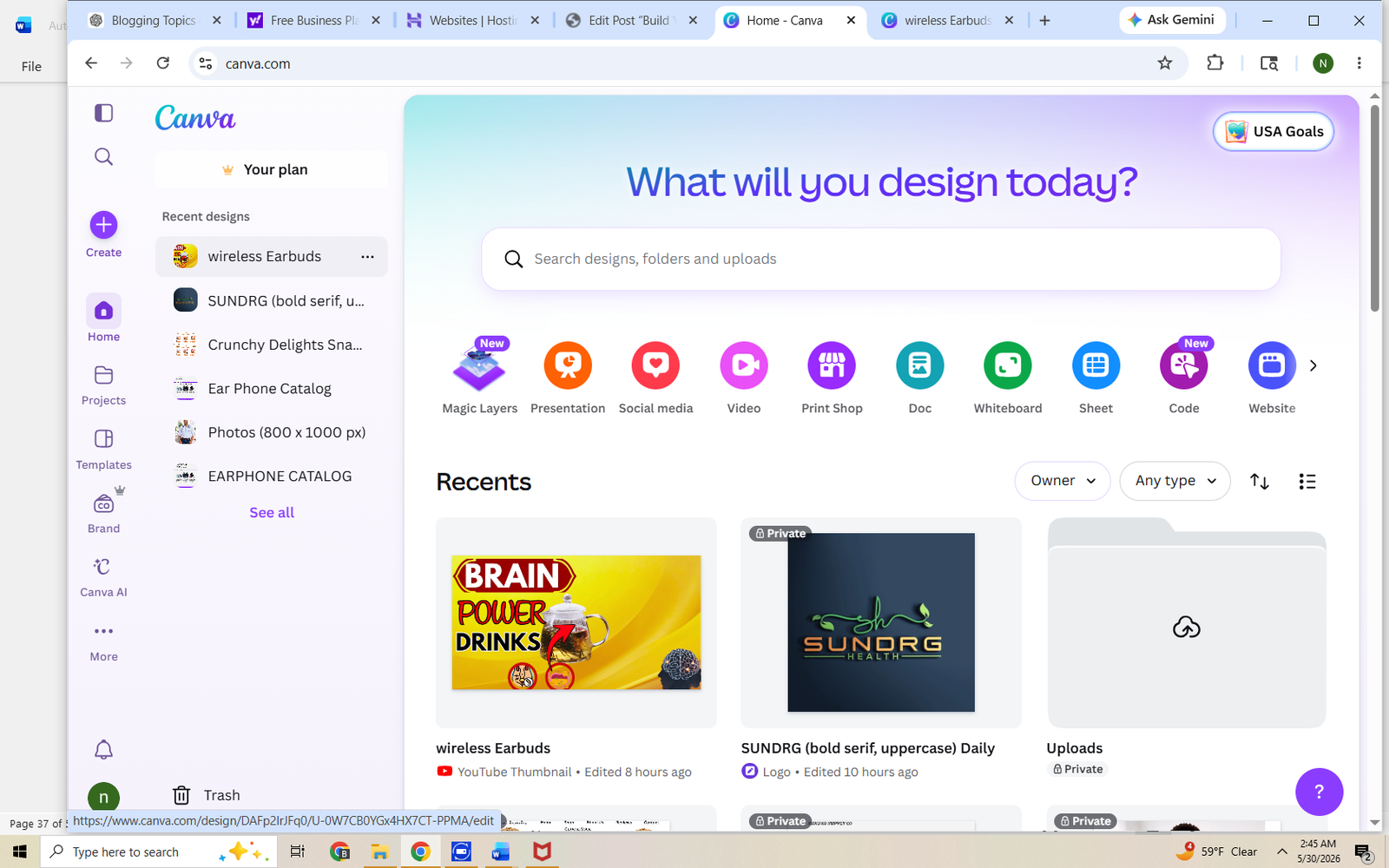
Canva is one of the most popular free design tools available today. It allows entrepreneurs to create professional-looking graphics without advanced design skills. The platform offers thousands of templates that can be customized to match your brand.
Many small business owners use Canva for their daily marketing needs. Its simple drag-and-drop interface makes designing fast and easy.
Canva can be used to create:
- Social media graphics
- Business cards
- Flyers
- Presentations
- Posters
- Marketing materials
It is often the first design tool entrepreneurs use when starting a business.
Benefits of Canva
Canva helps business owners create attractive designs without hiring a professional designer. This can save money while maintaining a polished appearance.
Key benefits include:
- Free access to design tools
- Easy-to-use templates
- Large library of graphics
- Quick customization
- Consistent branding options
These features make Canva an excellent choice for entrepreneurs on a budget.
Free Logo Generators
A logo is often one of the first visual elements customers notice. It helps identify your business and creates a professional image. While custom logos can be expensive, free logo generators provide a simple starting point.
Logo generators use templates and design tools to help entrepreneurs create logos quickly. Although they may not offer complete customization, they can be useful during the early stages of a business.
Free logo generators can help create:
- Business logos
- Brand icons
- Social media profile graphics
- Website branding elements
A simple logo is often enough when starting out.
Tips for Creating a Good Logo
A logo does not need to be complicated to be effective. Simple designs are often easier to recognize and remember.
Consider these tips:
- Keep the design simple
- Use readable fonts
- Choose a few consistent colors
- Avoid excessive details
- Make it easy to recognize
A clean logo can look professional across websites, social media, and marketing materials.
Free Stock Photo Sites
Visual content helps attract attention and improve marketing materials. Professional photography can be expensive, especially for new businesses. Free stock photo websites provide access to high-quality images at no cost.
These images can be used for websites, blogs, social media posts, and promotional materials. They help make content more engaging and visually appealing.
Free stock photos are useful for:
- Website design
- Blog articles
- Social media posts
- Presentations
- Marketing campaigns
Using quality images can improve the overall appearance of your brand.
Benefits of Free Stock Photos
Good images help communicate messages more effectively. They can also create a more professional look without requiring a large budget.
Advantages include:
- No photography costs
- Professional image quality
- Large image libraries
- Easy downloads
- Improved visual appeal
The right image can make content more attractive and easier to understand.
Common Branding Elements
Building a consistent brand involves more than a logo. Several visual elements work together to create a recognizable identity.
Important branding elements include:
- Logo
- Brand colors
- Fonts
- Images
- Website design
- Social media graphics
Keeping these elements consistent helps strengthen brand recognition.
Comparing Free Branding Tools
| Tool | Primary Purpose | Cost |
|---|---|---|
| Canva | Graphic design | Free |
| Free Logo Generators | Logo creation | Free |
| Free Stock Photo Sites | Professional images | Free |
Together, these tools provide a complete starting point for business branding.
Building a Simple Brand Identity
You do not need a complex branding strategy when starting out. Focus on creating a clean and consistent appearance across all business materials.
A simple branding system might include:
- One logo
- Two or three brand colors
- One primary font
- Consistent image style
- Matching social media graphics
This approach creates a professional look while keeping things manageable.
Common Branding Mistakes to Avoid
New entrepreneurs sometimes make branding more complicated than necessary. Simplicity often produces better results.
Avoid these common mistakes:
- Using too many colors
- Changing designs frequently
- Creating overly complex logos
- Using low-quality images
- Inconsistent branding across platforms
Consistency helps customers recognize and remember your business.
Key Takeaways
Free design and branding tools make it possible to create a professional business image without a large budget. They provide practical solutions for logos, graphics, and visual content.
Remember these important points:
- Canva simplifies graphic design.
- Free logo generators help create business logos.
- Free stock photo sites provide professional images.
- Consistent branding builds trust and recognition.
- Simple designs are often the most effective.
Strong branding does not require expensive software or professional designers. With the right free tools, you can create a professional image that supports your business growth.